v0.9.0-beta.1Public beta

Your computer. Your call.

A local-first AI agent for your desktop. Chat with local or cloud models, give agents your project folders, and let Cats work on their own, with your data staying on your computer.

Explore Asyncat
macOS · Windows · LinuxLocal & cloud modelsAgents that work on their ownFree · MIT licensed

Agents that work while you don’t.

0.8 made Asyncat capable. 0.9 lets it work on its own, safely, and makes it feel calm.

Cats keep working while you’re away.

Give a Cat a mission and it wakes on a schedule or when something happens: a new email, a feed item, a changed web page, a file landing in a folder. It works in its own folder, with its own memories and browser profile, inside the limits you set.

  • Schedules and triggers
  • Its own memories, sites, connectors and daily limits
  • Waits in your inbox and its chat when it needs your OK
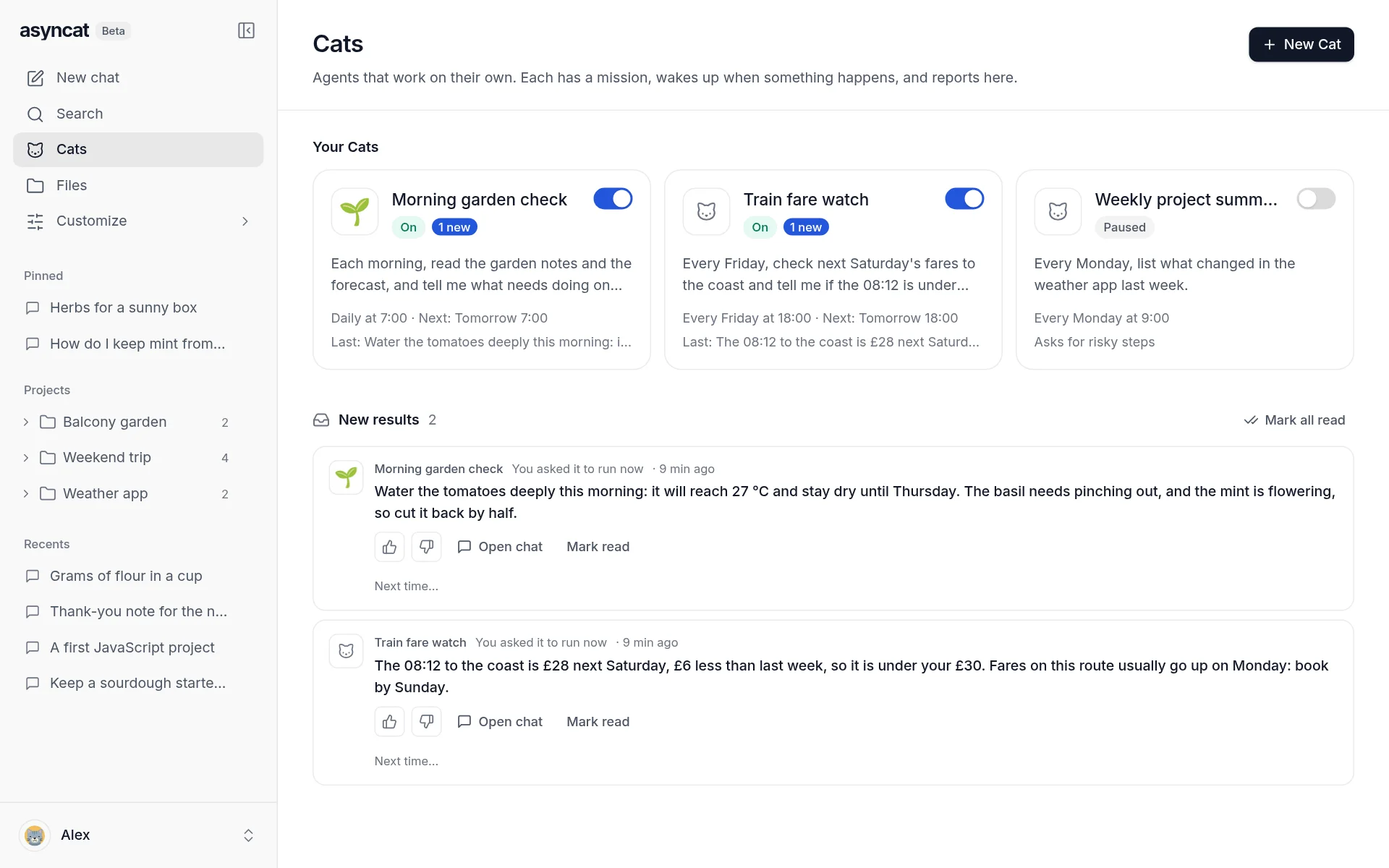
Meet the Cats
Cats page with three Cats and their latest results

Reach your other apps and coding agents.

Add connectors (MCP) from a catalog, a remote server with OAuth sign-in, or a program on this computer, and choose which ones each agent and Cat may use. Hand a chat to Claude Code, Codex, or an Agent Client Protocol agent such as Gemini CLI, Qwen Code or Goose.

  • GitHub, Notion, Linear, Sentry, Supabase, Stripe and more
  • Read-only tools run; others ask first
  • Coding agents answer in the same chat box
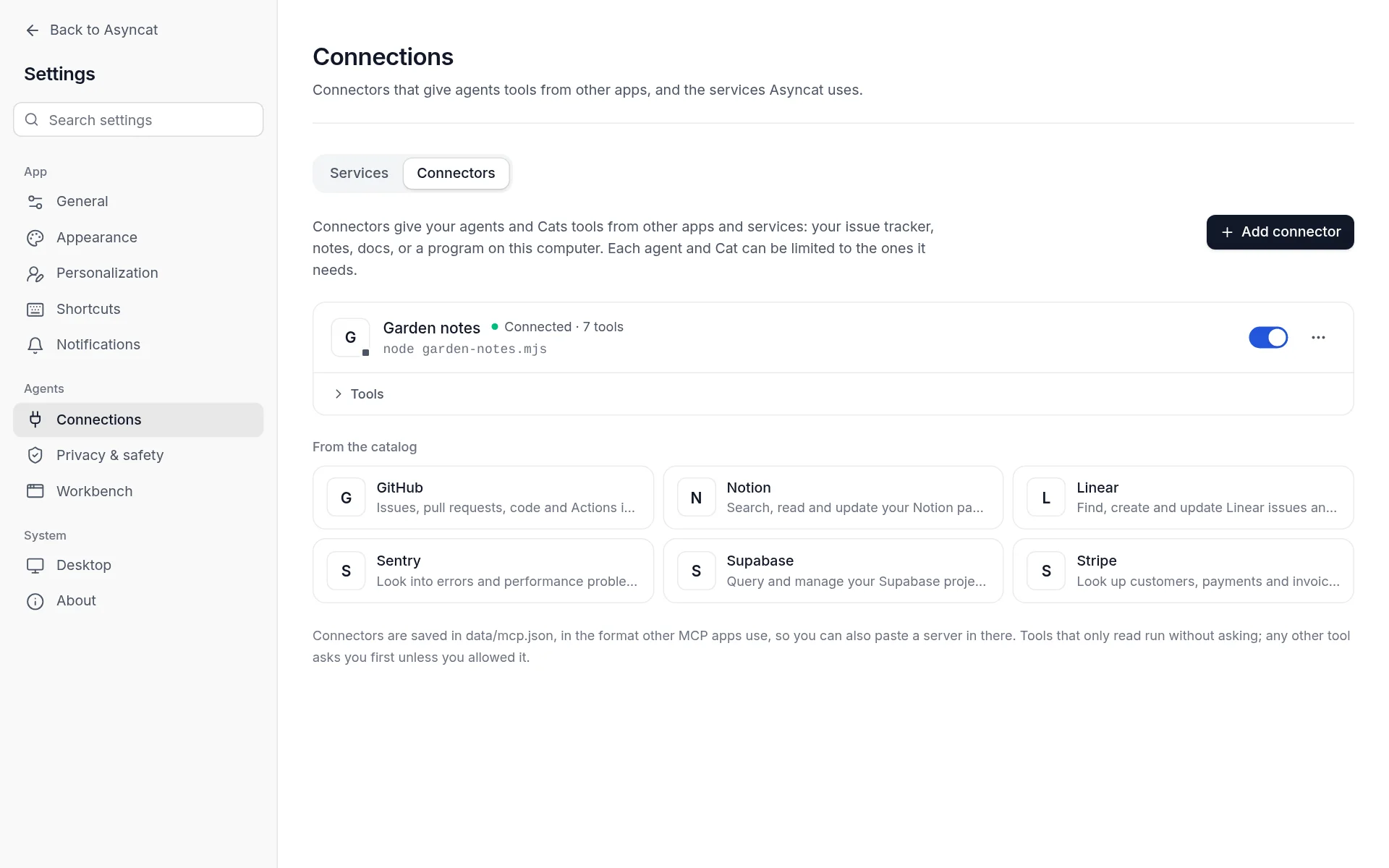
About connectors
Settings, Connections, with a connected connector and the catalog

Talk to it. Let it make pictures.

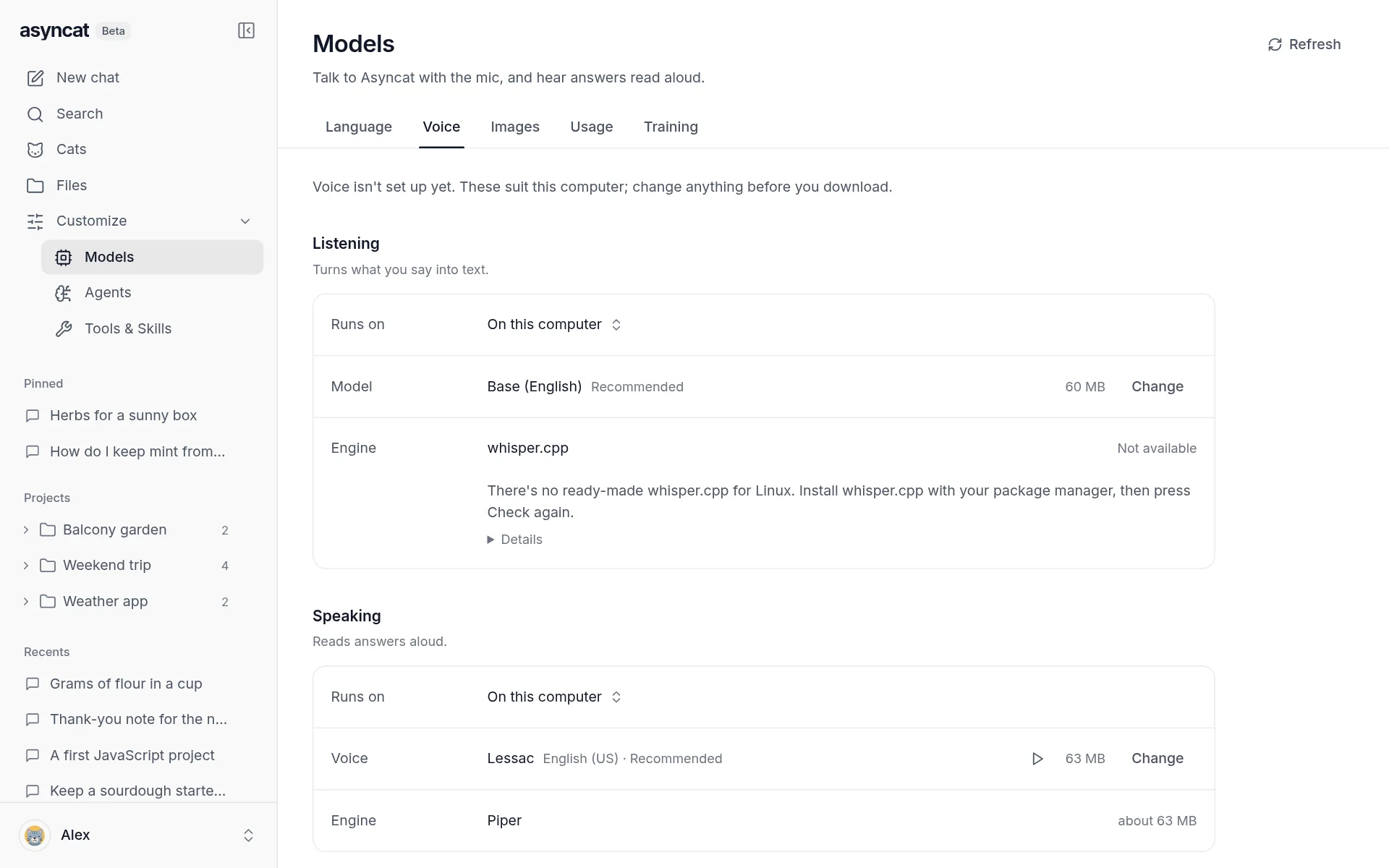
Listening and speaking run on this computer or through a service you have a key for. Asyncat offers what suits your machine, shows each part’s size, and downloads nothing until you press the button. Pictures come from your graphics card, a ComfyUI you run, or a service.

  • One button to set up, sizes shown first
  • Test the mic and hear a voice before choosing
  • Hands-free voice mode in chats
Set up voice and images
Models, Voice: listening and speaking on this computer, with sizes

Everything they make, in one place.

One page for the pictures, documents, pages, data and notes agents made, from any project, agent or Cat, with a viewer for each. It also shows what else Asyncat keeps on this computer, how much room each part takes, and frees space after a confirm that names what goes.

  • Made by agents, Uploads, Models, Training, Exports, Logs & caches, System
  • Preview, show in folder, move to Trash
  • Never lists your project folders’ own files
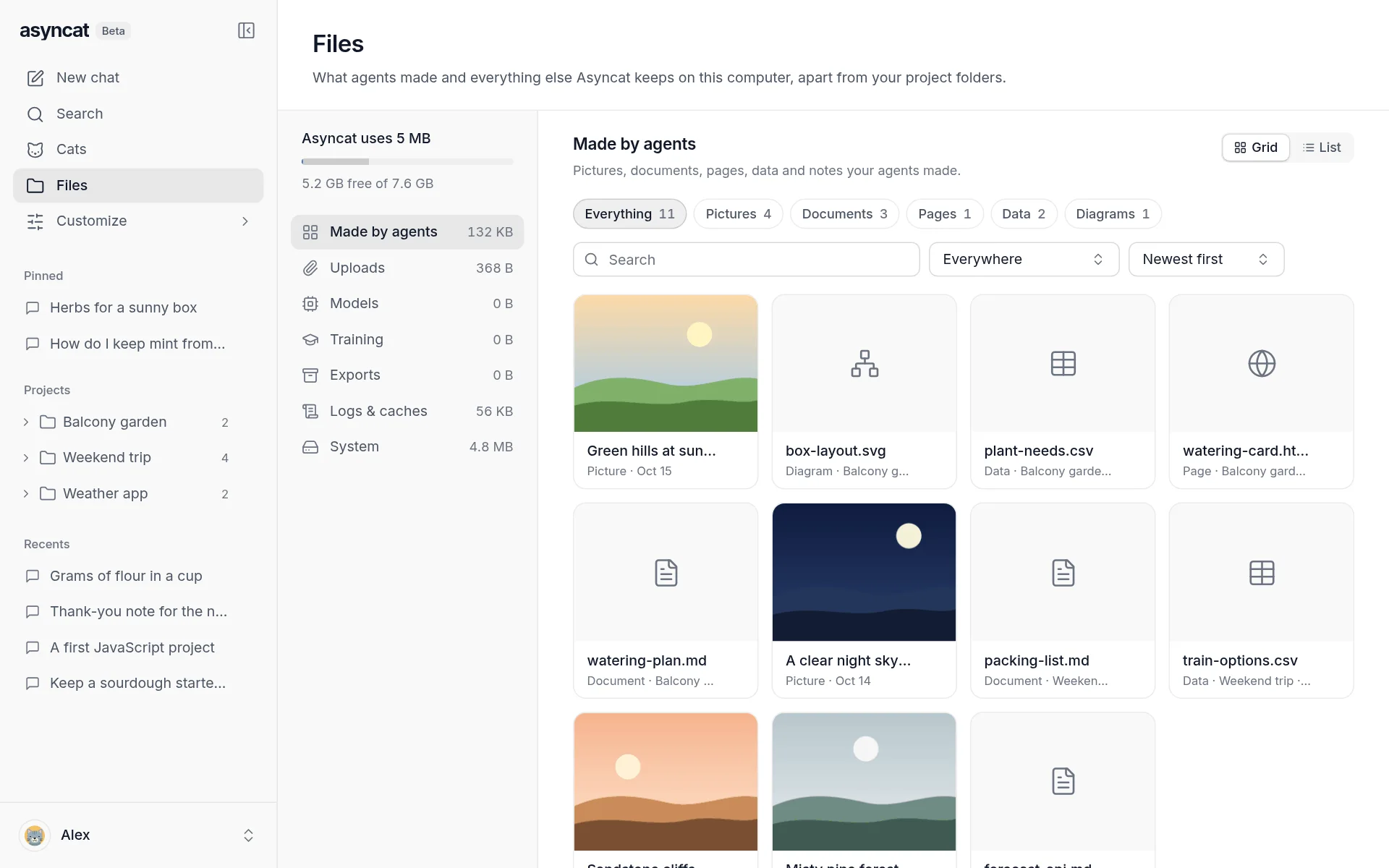
Tour the Files page
Files, with the pictures, documents, pages and data agents made

A sandbox, with no virtual machine.

Agent commands run in your operating system’s own sandbox, the way Claude Code and Codex run theirs. They can change files only in the project, can’t read your sign-ins, keys or browser profiles, and never see the API keys you saved. If the sandbox can’t start, every command asks first.

  • Network: Open, Package registries only, or Off
  • Nothing extra to download; full speed
  • bubblewrap on Linux, sandbox-exec on macOS
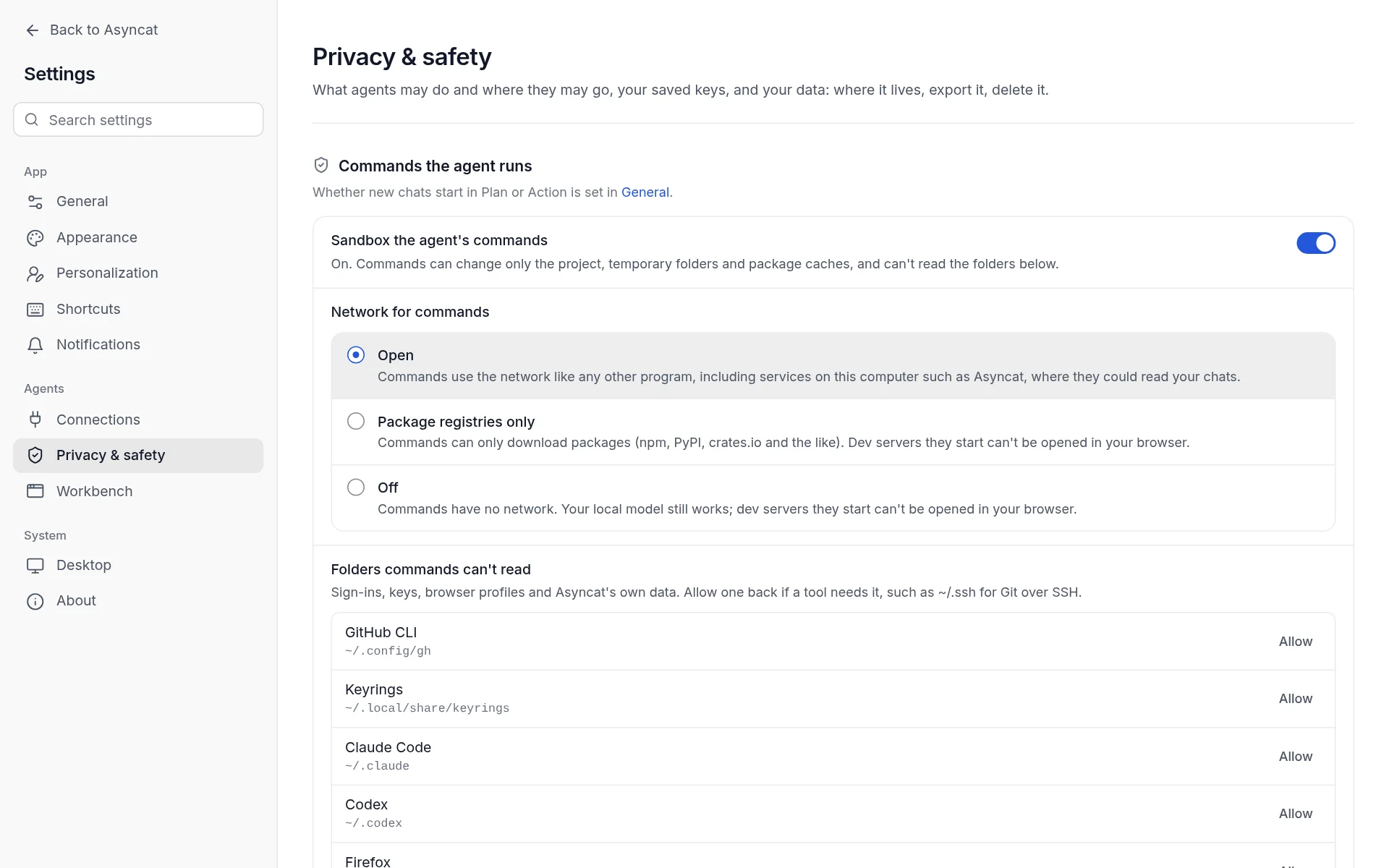
How the sandbox works
Settings, Privacy and safety: the command sandbox and its network

One calm look, everywhere.

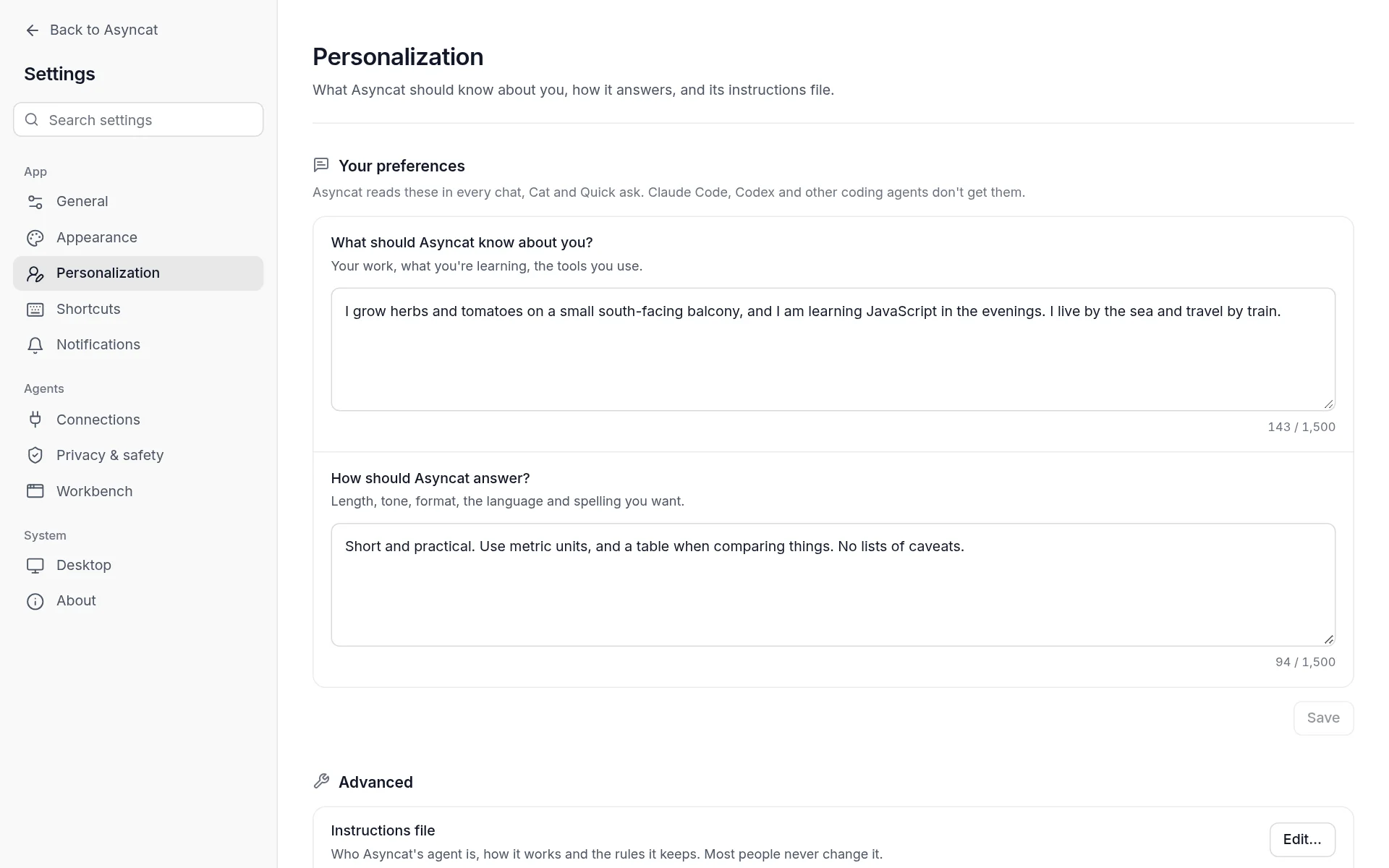
Every screen is built from the same colours and controls, with neutral grey Dark and Midnight themes. Settings are simpler, and Personalization asks two plain questions that every chat, Cat and Quick ask follows.

  • Light, Dark, Midnight or System
  • “What should Asyncat know about you?”
  • “How should Asyncat answer?”
Make it yours
Settings, Personalization, with what Asyncat should know and how it should answer

Plus Quick ask, a model per chat, search inside chats, first-run setup, interactive answers and more.

Everything new in 0.9

The model is up to you.

Use a local runtime or connect one of 35+ cloud providers. Pick the model for each chat, so two chats can use different models at once.

Set up your models
  • 01llama.cppLocal
  • 02OllamaLocal
  • 03LM StudioLocal
  • 04MLXLocal

Run models on your own hardware. llama.cpp is built in.

Setup suggests a model that fits this computer and shows its size first. Engine support varies by platform.

Read it. Change it. Make it yours.

The app, the interface, the agent runtime. It’s all in the repository.

Asyncat is MIT licensed. Inspect how it works, contribute a change, or build on it.

Open the repository asyncat-oss / asyncat-oss

v0.9.0-beta.1

Get Asyncat.

Choose your platform. Connect a model. Get to work.

Public beta · Free & open source. Model providers may charge separately.

Installation notes
Build it yourself

Prefer to run from source?

Run from source

A few answers.

Read the docs
01What is Asyncat?

Asyncat is a local-first, open-source AI agent desktop app for macOS, Windows and Linux. Chat with local or cloud models, give agents your project folders, connect your other apps, and let Cats work on their own, with your data staying on your computer.

02Can I run it with a local model?

Yes. Asyncat has a built-in llama.cpp engine and also works with Ollama, LM Studio, MLX and other local servers. First-run setup suggests a model that fits your computer and shows its download size first. Every feature works with local models; web tools, cloud providers and connectors still need a connection.

03What are Cats?

Cats are agents that work on their own. Each has a mission and wakes on a schedule or when something happens, such as a new email, a feed item, a changed page or a new file in a folder. You choose how free it is, its daily limits and the sites it may visit, and it asks in your inbox when it needs your OK.

04Is it safe to let agents run commands?

Before a risky tool runs, the agent asks, and file edits show the diff first. On macOS and Linux, commands run in your operating system’s own sandbox: they can change files only in the project, can’t read your keys or sign-ins, and never see the API keys you saved in Asyncat. On Windows there is no command sandbox yet, so commands ask first unless they are proven read-only.

05What does it cost?

Asyncat is free and open source under the MIT license. If you connect a paid cloud model or another paid service, that provider’s charges apply separately.

06Is the current release a beta?

Yes. The download section shows the current published release and its channel. Installed builds check GitHub Releases for updates and install them from inside the app after checking them against the release checksums.